 ClearExpenses
For RMTs and self-employed practitioners in Canada
Get tax-ready between clients.
Snap a receipt before your next appointment. ClearExpenses reads it, puts it on the right T2125 line and keeps a running tally of what you'll owe, so April comes down to one spreadsheet.
Snap it and move on
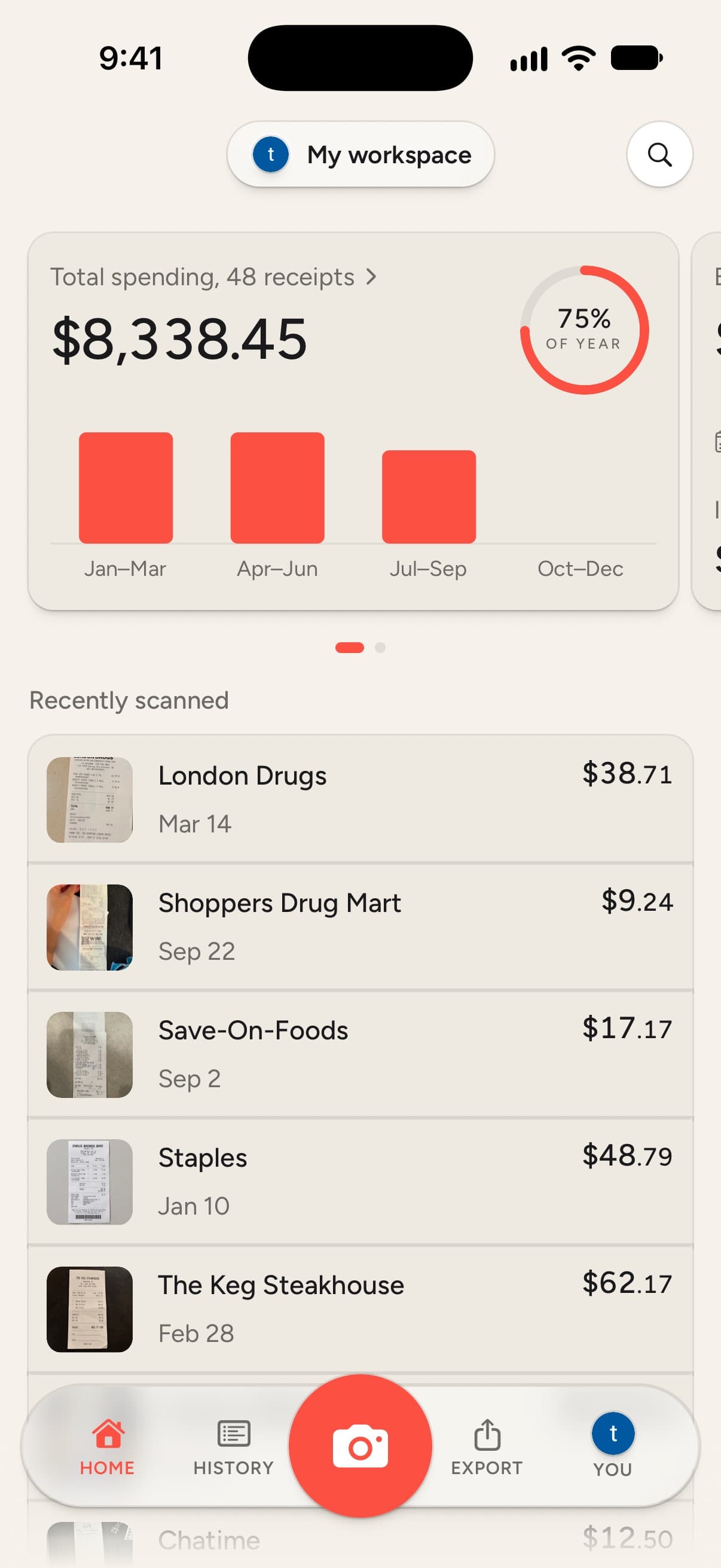
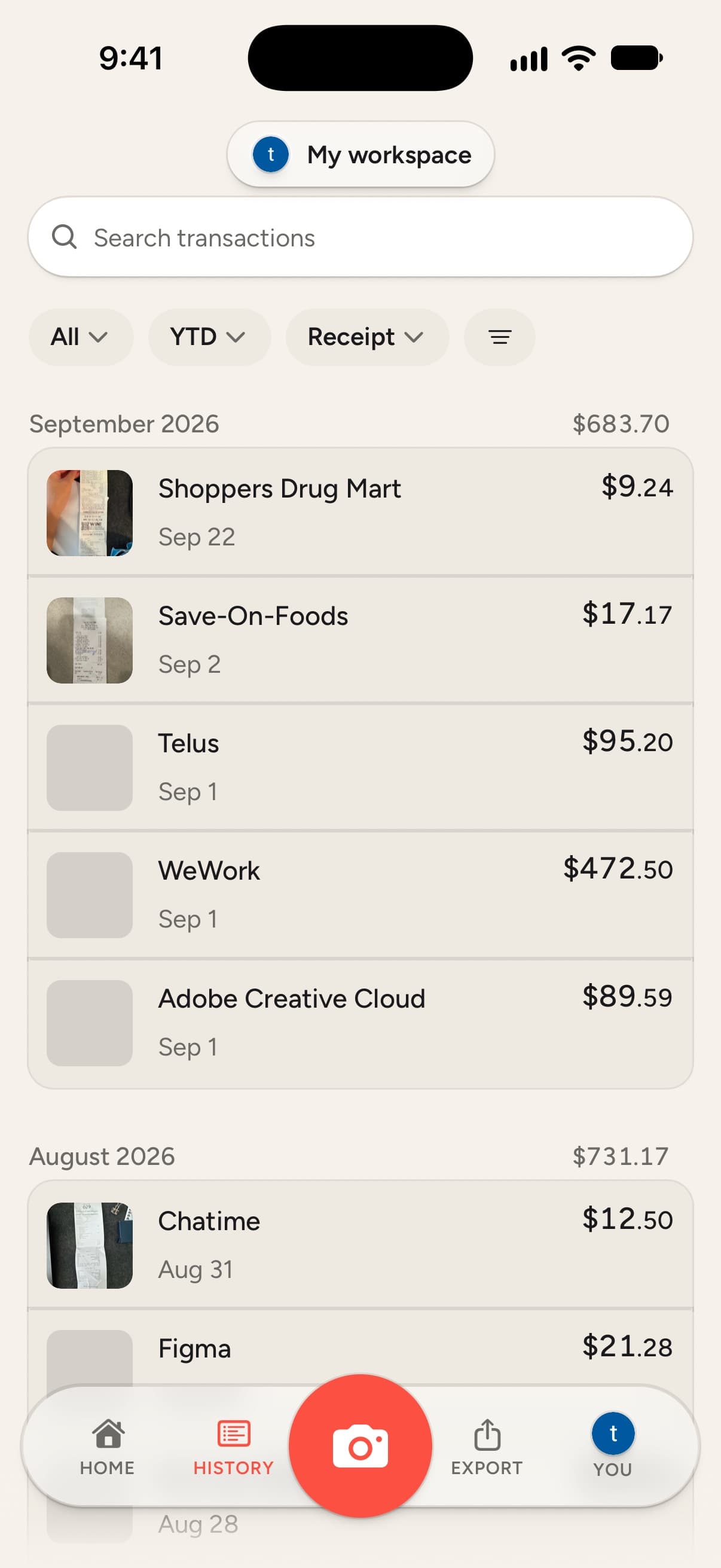
Take a photo between clients. ClearExpenses reads the merchant, date, total and GST/HST so you don't type a thing. Receipts already in Photos or Files can be shared straight in.
Sorted the way the CRA sorts it
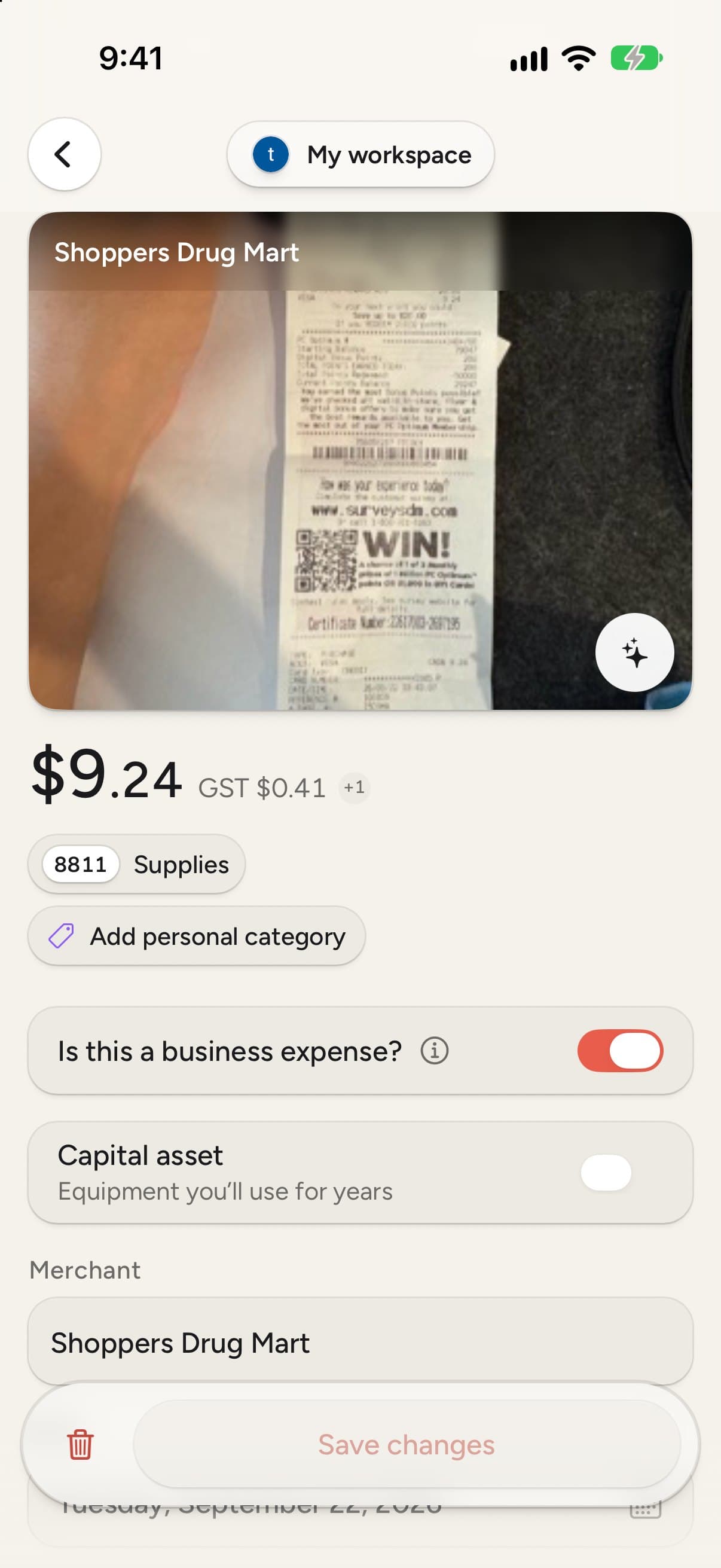
Every receipt gets a suggested T2125 line: 8811 for oils and linens, 8760 for your college dues, 9281 for parking between home visits. At tax time, export one Excel or CSV spreadsheet with every receipt on its line, or invite your accountant into your books.
| Date | Merchant | CRA line | Amount | Tax |
|---|---|---|---|---|
| Bodywork Supply | 8811 Supplies | 83.06 | ||
| Harmony Wellness | 8910 Rent | 420.00 | ||
| Impark | 9281 Vehicle | 22.50 | ||
| CMTO | 8760 Dues | 385.00 | ||
| Costco | 8811 Supplies | 127.43 | ||
| Telus | 9220 Utilities | 89.00 | ||
| Staples | 8810 Office | 34.99 | ||
| WorkSafeBC | 8690 Insurance | 156.00 |
Catches the mistakes for you
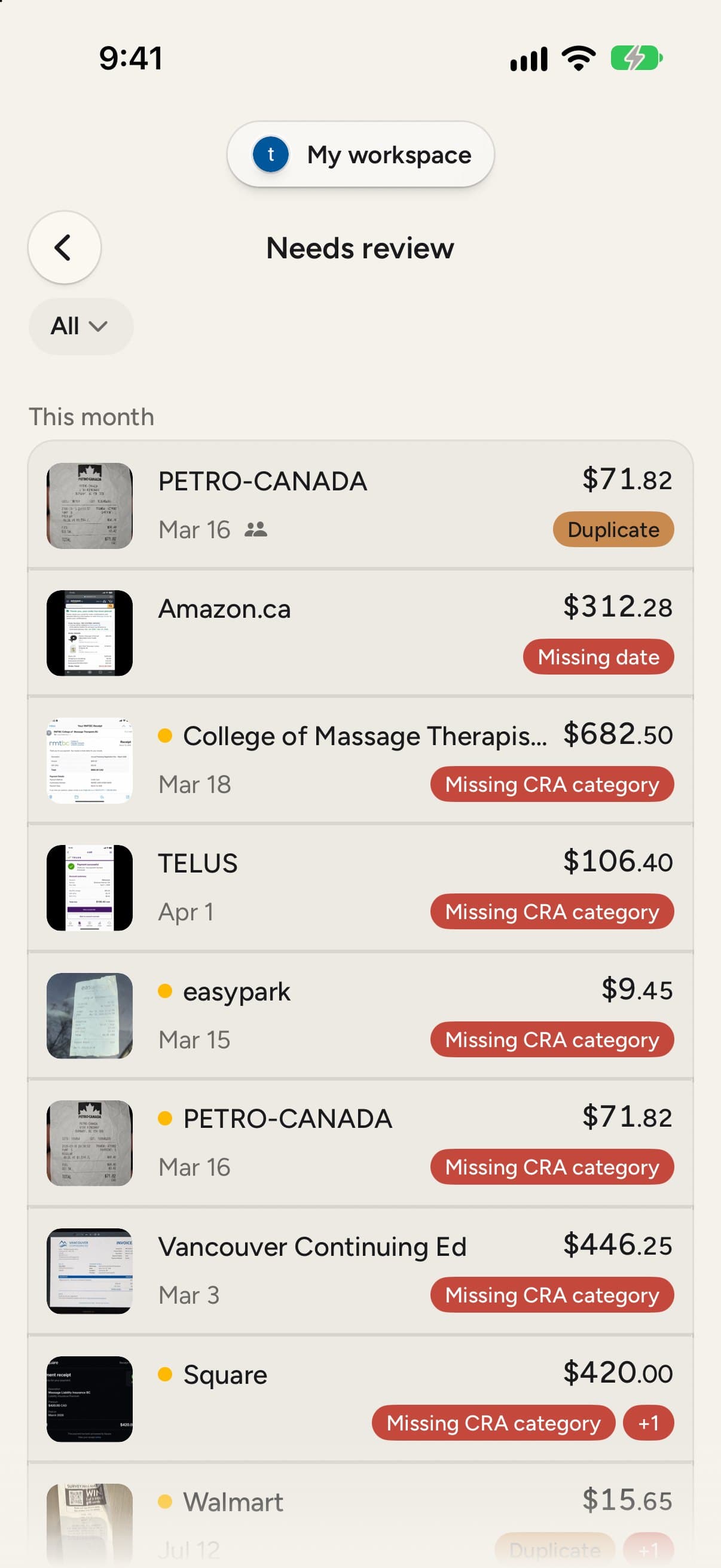
Missing a category? Scanned the same receipt twice? Receipts that need a second look are flagged and collect in one review queue, so nothing slips into your return by accident.
Know what you'll owe before April
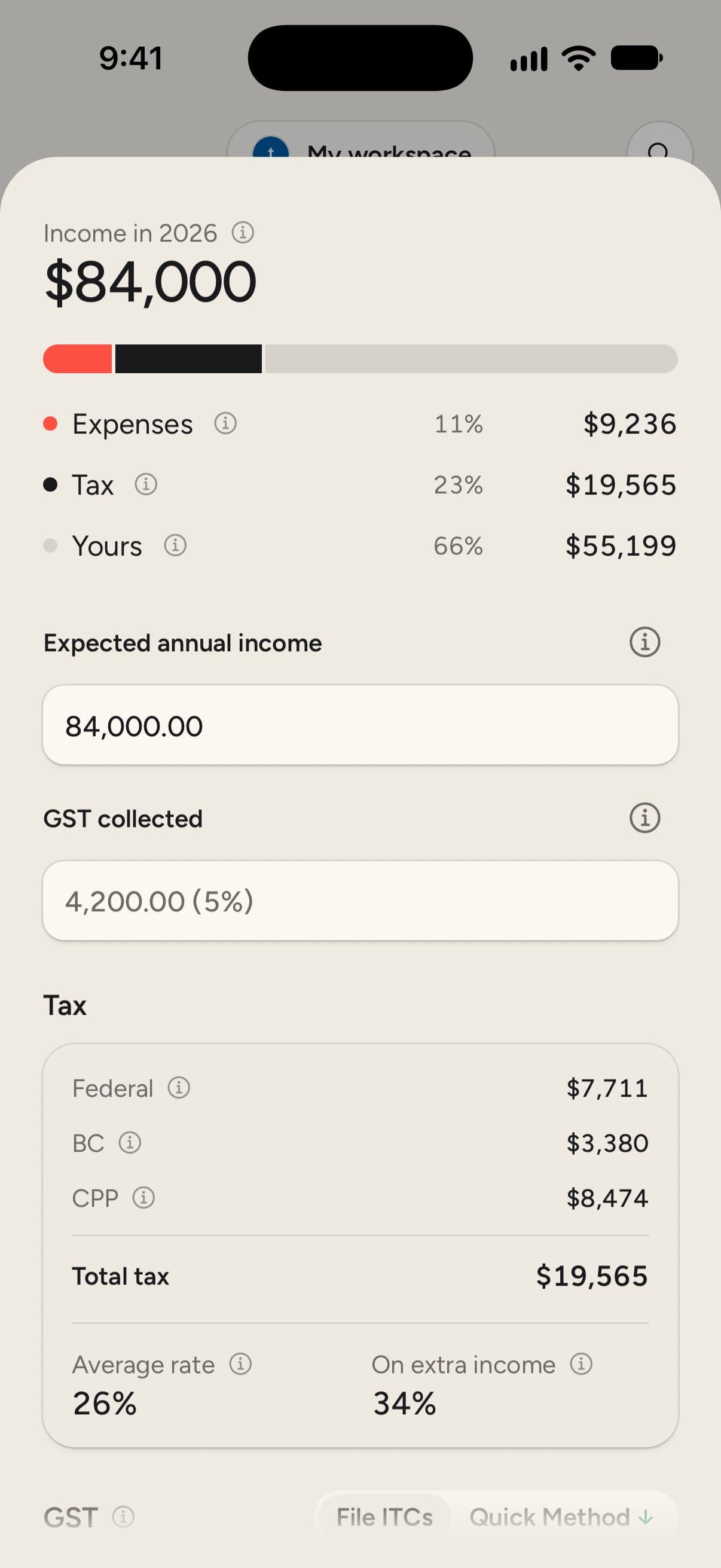
Add what you expect to earn this year and ClearExpenses shows where it goes: expenses, tax and what's left for you. Federal tax, provincial tax and CPP are broken out, and it works out the GST you collect too, whether you claim ITCs or use the Quick Method.
Built for RMTs, and anyone who files a T2125
The categories massage therapists need, from oils and linens to college registration and parking between home visits, come set up and matched to their CRA lines. If you run a similar practice on your own, it fits you just as well.
- Registered massage therapists
- Physiotherapists
- Acupuncturists
- Osteopaths
- Other sole proprietors
Incorporated and filing a T2? ClearExpenses isn't built for that yet.
Your receipts stay yours
Your account keeps your receipts backed up and in sync across your devices, and you decide who else sees your books. You can delete your account and everything in it whenever you like. Read the privacy policy.
Common questions
What will it cost?
ClearExpenses will launch as a paid subscription. Everyone on the waitlist gets to try the beta free first, before any plan starts.
Does it replace my accountant?
No. It keeps your records tidy so your accountant, or you, can file faster. At year end you share a filing pack with every receipt and its CRA line. The tax estimate is a guide, not tax advice.
Does it handle my province's sales tax?
Yes. It reads GST, HST, PST and QST at the rates for every province and territory.
Do I need to make an account?
Yes. You sign in with Google or your email, which keeps your receipts backed up and synced across your devices. You can delete your account and everything in it whenever you like.
Is there an Android version?
Yes. The beta runs on Android phones through Google Play testing, as well as on iPhone and iPad through TestFlight. When your invite arrives, the install steps cover both.
My practice is incorporated. Can I use it?
Not yet. ClearExpenses is built around the T2125 that sole proprietors file with their personal return, not the T2 corporations file.
Get this year's receipts sorted before tax season.
ClearExpenses is in beta on iPhone and Android now. Join the waitlist and we'll send you an invite as spots open up.